When session invitations fail to reach a customer due to delivery issues (for example, blocked SMS messages or undelivered emails), this feature provides an alternate way to provide session access. It allows agents to copy the Session ID, the Session URL, or both during an active Collaboration Room session and share them manually, through another communication channel.
Attention
Exposing session details to the agent is intended only for exceptional delivery failures and does not replace the standard invitation flow. If a customer simply lost their link, the agent should use the resend invite functionality.
How to enable
To enable the agent to copy the session ID or URL:
In system settings, under Session > Tools > Copy session details, turn on the relevant toggle..png)
When enabled, the selected button appears when the agent hovers over the customer icon in the agent console during an active session.
Agents can use the copied identifier to share session details with the customer, while reducing manual copying errors.
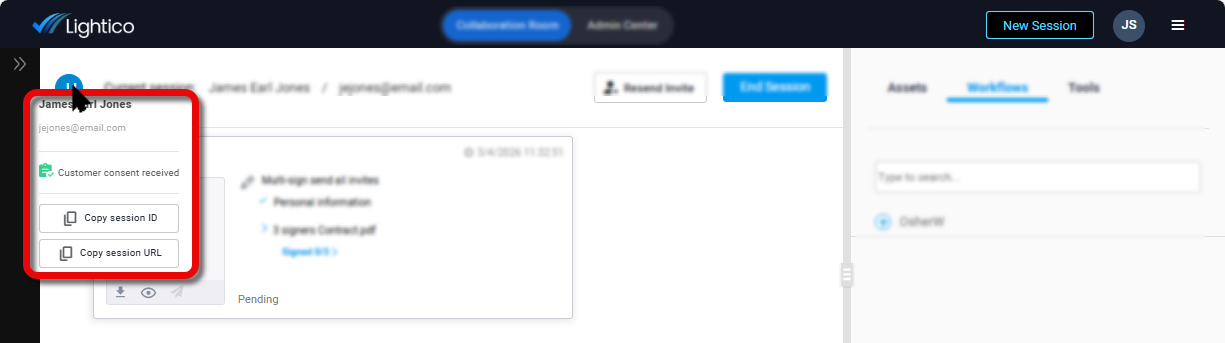
Copy buttons shown in the agent console
When enabled, the copy buttons are also available for all additional session participants when you hover over the participant name in the Document participants box.
.png)
Session URL sensitivity
The session URL provides direct access to the live session and may expose sensitive customer information. For this reason, enabling Copy Session URL requires explicit administrative acknowledgment.
When turning on this option, a confirmation message is displayed. The admin must acknowledge the security warning before saving the configuration.